Introducing aspec: Spec-Driven Development + Containerized Code Agents
After working closely with a number of agentic code tools over the past year, I'm starting to coalesce towards a workflow that has been getting some pretty great results. Today I want to show off aspec — a tool that automates this workflow by managing predictable, secure agentic code environments. If you've been using agentic code tools and feeling like you're always shooting from the hip, that's what I've experienced, and it's what I'm trying to solve here. Code agents can be a force multiplier if you approach them with the right mindset oriented around maximizing shared context and minimizing blast radius.
The idea with aspec is that the right abstraction for agentic development isn't a better chat interface — it's a better contract between the developer and the agent. A project's aspec gives your agent the context it needs to make good decisions (more of the time), and containerization gives you higher confidence to let agents be more autonomous. The two parts are intended to reinforce one another!
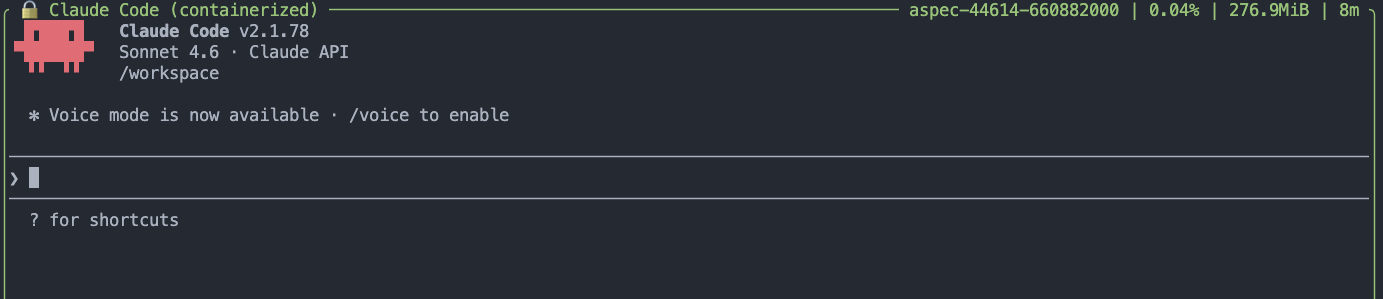
If you want to skip the rest and give it a try:
Agentic Development Status Quo
Agentic code tools are powerful but dangerous. They can read your codebase, write code, run tests, and iterate autonomously — all without you typing a line. But the agent normally runs directly on your machine, with access to your filesystem, your credentials, your network, and whatever else is lying around. Danger Will Robinson.
That's a lot of trust to extend to a process you don't fully control or understand (nobody does). Beyond security, there's a predictability problem: agents that lack complete understanding tend to make plausible but wrong decisions. They invent architecture. They misidentify conventions. They do reasonable things that happen to be inconsistent with how the rest of your project works.
aspec addresses both of these problems directly.
Spec-Driven Development
The first idea behind aspec is that every project should have a comprehensive machine-readable specification. Not just a README, but structured, living documents that capture what your project is, how it's architected, what its security constraints are, and how new work should be implemented. This agent specification (i.e. aspec) creates a shared developer-agent context which helps both sides better understand one another and produce better results.
When you initialize a project with aspec, it creates an aspec/ directory containing specification templates for every dimension of your project:
aspec/
  foundation.md          # project purpose, language, personas
  architecture/
    design.md            # architecture patterns and principles
    security.md          # security constraints (non-negotiable)
  uxui/
    interface.md         # web app etc.
    experience.md        # signup, account management, UX
    cli.md               # commands, flags, config
  devops/
    localdev.md          # build and test workflows
    cicd.md              # CI/CD pipeline
    operations.md        # operational runbook
  work-items/
    0000-template.md     # template for new work items
    0001-my-feature.md   # a real work item
These specs are the source of truth for everything. When you go to implement a new feature, the agent reads your detailed work item and the full aspec. It knows what languages you're using, architecture patterns to follow, security constraints, and preferred workflows. It can avoid guessing by implementing against a developer-agent contract.
The discipline of writing specs before writing code also forces clarity. A work item that you can't describe clearly is a work item you don't fully understand yet. aspec work items surface that ambiguity before the agent ever runs.
Work items as your daily co-work flow
Work items in aspec are more than task descriptions. They're structured documents that include:
- What to implement and why
- Architecture notes and constraints
- User stories
- Edge cases and error handling
- Test considerations
- Documentation requirements
Running aspec implement 0001 (or just a prompt to your agent directly, if you prefer) provides your agent with the work item along with the full project aspec. The result is an agent that starts with context most agentic coding sessions spend the first ten minutes establishing through back-and-forth conversation and endless tool use.
Containerized Agents: In the Danger Zone
While spec-driven development can be highly opinionated, the second problem is harder to argue against once you've thought it through: Agents are unpredictable. They should never run directly on your host machine.
Every aspec command that launches an AI agent — implement, chat, etc. — runs that agent inside a container. The container is built from a Dockerfile.dev specific to your project which specifies exactly what tools the agent has access to. Your project files are mounted into the container. Your agent is automatically configured and authenticated. Nothing else is available for the agent to (mis)use.
When the agent finishes, the container is gone.
This matters for several reasons:
Security isolation. The agent can't read files outside your project. It can't access system keychains, SSH keys, AWS credentials, or anything else on your machine. If an agent goes sideways — or if a tool the agent installs is malicious — the blast radius is contained to the... container.
Reproducibility. Every agent run uses the same base environment. The tools available to the agent are the same every time, on every machine, for every team member. Classic "works on my machine" problem with agent environments is gone.
Visibility. Every Docker command aspec runs is shown before it executes so you can see exactly what's happening. You can copy that command and run it yourself if you don't trust me.
Agent-agnostic. The container model means aspec isn't tied to one agent. Today it supports Claude Code, and experimentally supports Codex, and OpenCode. Because the agent is "just a process" running inside a container, aspec doesn't have an opinion about which agent you prefer.
Your Project's Custom Environment
When you run aspec init, it creates a Dockerfile.dev for your preferred agent and then co-works with your agent to review your codebase and customize it to install every tool and package it will need to work with and build your code.
Run aspec ready --refresh when your project's tooling changes and your agent will audit the codebase anew and update it automatically.
Every command works in two modes: CLI (single invocation, exits when done, great for CI) and interactive TUI (launch aspec with no arguments for a persistent REPL).
The aspec TUI: An Agent-First Terminal Interface
aspec's interactive TUI lets it operate as a purpose-built UX for agentic development.
When you launch your agent from the TUI, a full terminal emulator renders the agent's interactive mode, complete with spinners, colors, and cursors. The TUI shows the agent name, container ID, and live CPU and memory stats:
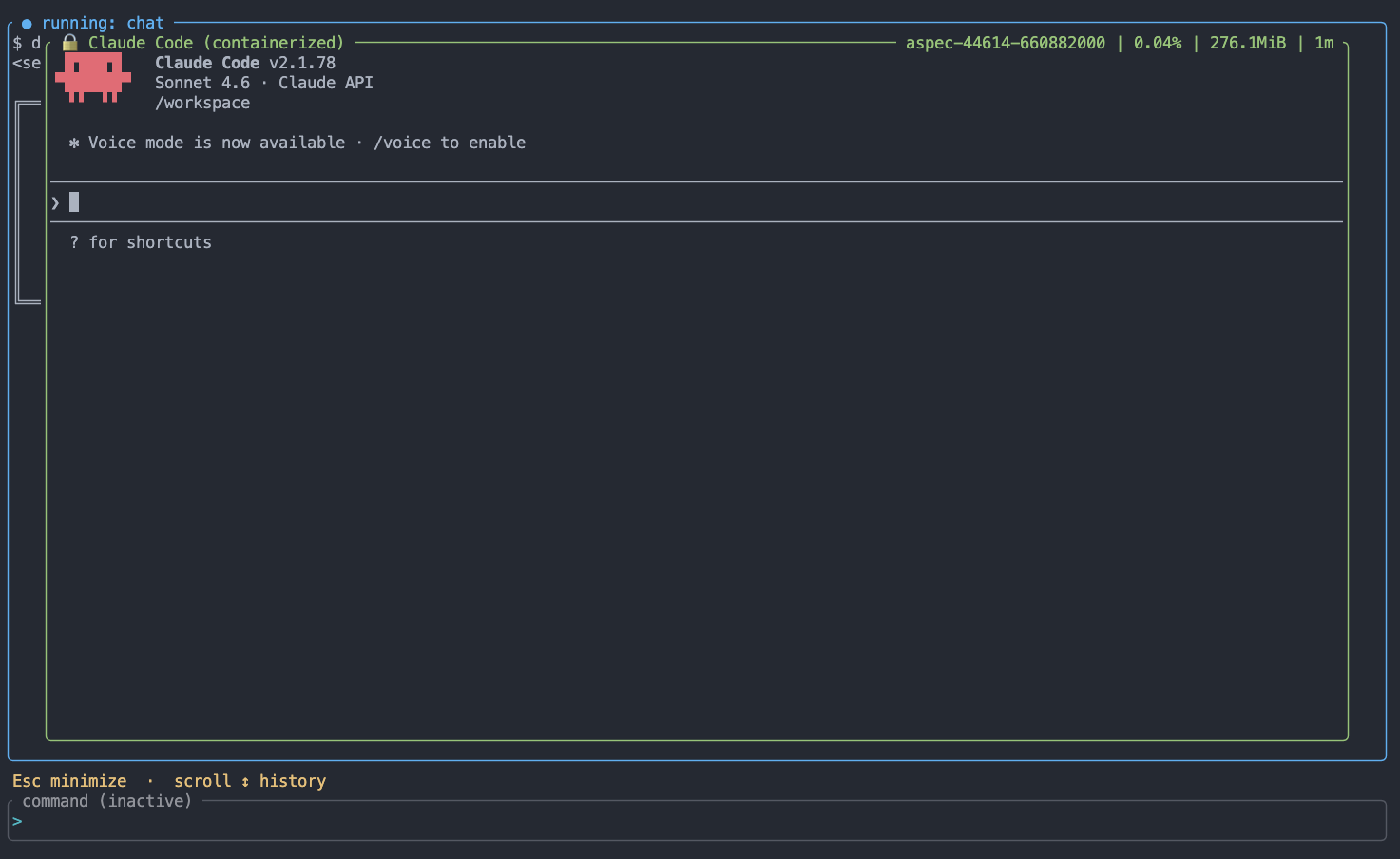
Press Esc to minimize the container window. Press c to bring it back. Scroll to browse the agent's scrollback history. When the container exits, a summary shows average CPU, peak memory, and total runtime.
The aspec workflow commands
aspec is intentionally minimal. There are five commands, and they cover the full workflow:
aspec init — Bootstrap a new project. Creates the aspec/ spec directory, writes .aspec-cli.json, and downloads the Dockerfile.dev template for your chosen agent (--agent=claude, codex, or opencode).
aspec ready — Check that your environment is set up correctly. Verifies Docker is running, Dockerfile.dev exists, and the dev image is built. Use --refresh to have an agent audit your Dockerfile and add missing tools. Use --build to force a rebuild after manual edits.
aspec new — Create a new work item to work on with your agent. Handles templating, slug generation, and (in VS Code) opens the file for editing.
aspec implement <nnnn> — Launch the agent container to implement a work item. The agent receives the full work item and project aspec along with detailed instructions as its initial prompt. Use --plan for a read-only analysis pass before making any changes. Use --non-interactive for automated pipelines.
aspec chat — Start a freeform agent session with no preconfigured prompt. Same container, same isolation, same visibility — just an empty canvas for exploration and Q&A.
What's Next
There's quite a lot more I want to do with aspec. The spec-driven workflow and containerized execution model are now solid. From here, the areas I'm most interested in exploring:
- Claw-like agents - securely run OpenClaw/NanoClaw/ZeroClaw with the same spec-driven and security-first principles (coming soon)
- Multi-agent workflows — running multiple agents in parallel on different work items, coordinated through
aspec. - Github and CI/CD integration — interact directly with Github issues and PRs using
aspec implement - Spec magic — interview mode, auditing work items for completeness and consistency before agent runs
Getting Started
Check out the project: github.com/cohix/aspec-cli.
aspec is built on the idea that the best agentic coding happens when agents have clear context (specs) and hard boundaries (containers).
I'm building this in the open, so issues, feedback, and contributions are welcome.