amux 0.2: Multiplayer code and claw agents in your terminal
As I started working more with code agents and they became entwined in my workflows, I started getting itchy. The itchiness came from running an agent and sitting there while it worked. It felt like a waste, since my brain had already planned out the next 3 tasks I wanted to get moving on. The shift from single-agent to "multiplayer" felt necessary to me, since I started concocting mental work plans that would normally take weeks, but with the help of code agents could be accomplished in a single day, given the right workflow.
I built amux (formerly aspec-cli) because I needed that itch to go away. It's now regularly running 5-7 code agents at a time and nanoclaw on my homelab Mac Mini for me. I know, it's basically a meme to have a Mac Mini running AI agents at this point, but if you have a goal you're working towards and you can get to that goal 5-10x faster because you have a team of agents working on it for you... that's addicting as hell.
tmux, but make it agents
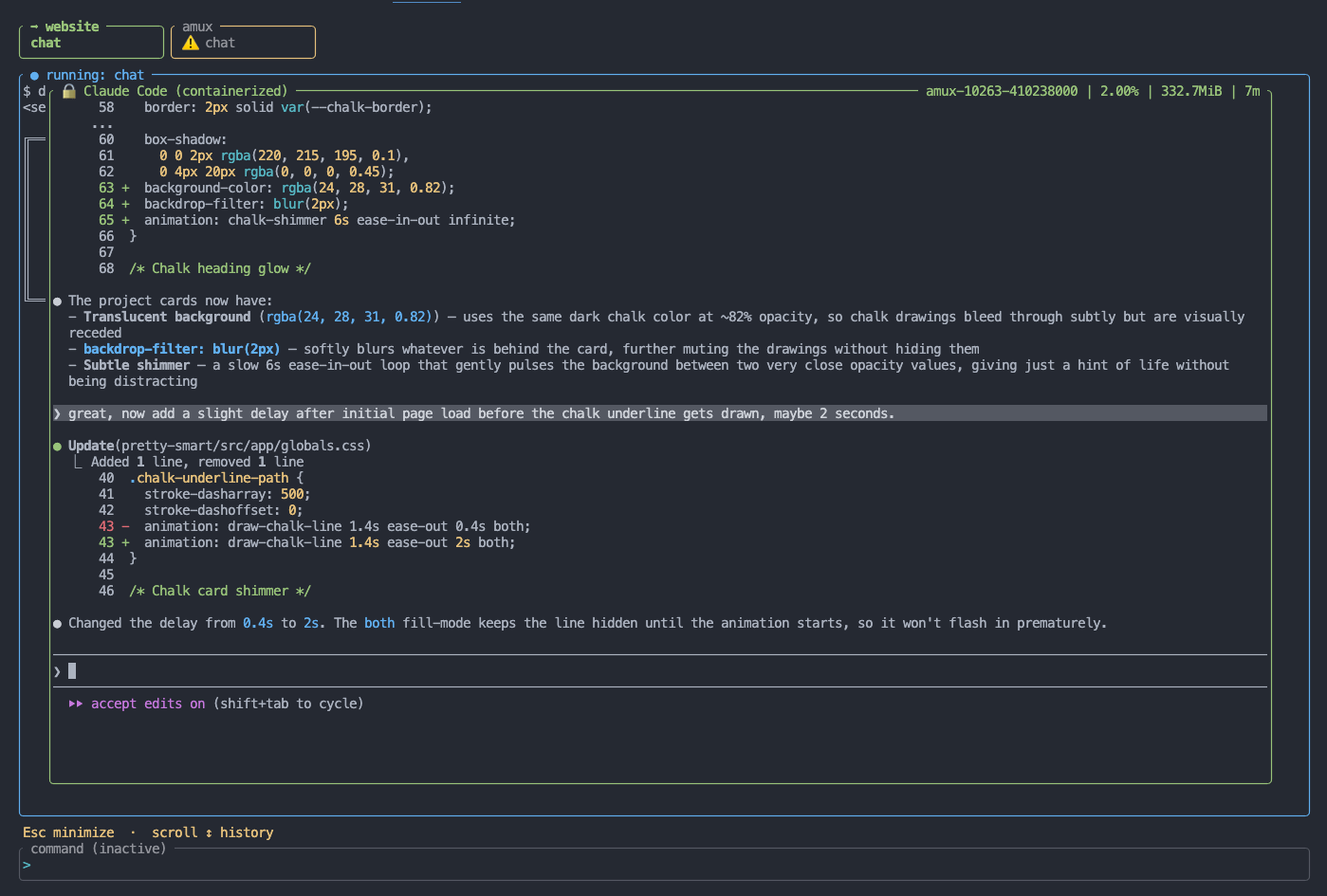
amux started with the idea that the right abstraction for agentic development is a contract between you and your agents: structured specs for context, containers for safety. v0.1 delivered that for a single session at a time. v0.2 makes it multiplayer. It's honestly so fun.
The amux TUI now has a full tab system. Each tab is an independent agent workspace: its own working directory, its own container session, a full terminal emulator. Open a tab for your next feature, open another for a bug fix, open another to chat about architecture. All of them running simultaneously, switching between them with the keyboard vim-style. The tab bar shows each session's live state at a glance — idle, running, active agent container, claw session, or stuck.
That last one matters: if amux detects that an agent is stuck, the tab turns yellow and flags it. Agents get stuck all the time if you're not watching. Now you'll know, even when 5 are running at once.
This is the core of what multiplayer means in practice: you're not babysitting a single agent anymore. You're managing a little group of toddler agents.
amux + nanoclaw: persistent background agents
The tab system gives you multiplayer across your code projects. Nanoclaw gives you an extra 24/7 background assistant.
Nanoclaw is a variant of the OpenClaw concept, but a bit less whackadoodle. amux helps you install this persistent, machine-global claw agent running in a background Docker container. It doesn't belong to a single project — it belongs to your machine. Unlike chat and implement sessions that spin up, do work, and exit, nanoclaw runs continuously. You can reach it through Slack, Discord, WhatsApp, or any messaging integration you wire up. Ask it to start a long running task or schedule something recurring.
amux adds an extra container layer around Nanoclaw's controller, but still allows it to spin up subagents. This means it can run builds, generate reports, and orchestrate multi-step workflows that themselves require containerized execution. It's not just a persistent chat — it's an actual multi-threaded agent that can do work autonomously, without a human in the loop. And you can text with it from anywhere. C'mon.
Setup is guided: amux claws init walks you through installing Nanoclaw, building the image, and getting the container running. After that, it's always there. amux lets you monitor its status, chat with it to set up jobs and new skills, and keeps it updated.
With tabs running parallel code project sessions and nanoclaw handling async background work, you have a genuine multi-agent setup that feels natural in your terminal.
What This Changes
The 0.1 workflow was: write a spec, run an agent, wait, review. Good for getting started with code agents.
The 0.2 workflow is: spec a work item, kick off its implementation, then spec the next thing and fan them out across tabs. Kick longer tasks to Nanoclaw, or send it stuff to do while you're away and review everything when you get back to your keyboard. You're supervising your own little team.
The security model doesn't change — every agent session is still containerized, isolated, and transparent. The specs still give agents the strong context they need to make good decisions. Multiplayer just means you can apply that model to work on more, simultaneously.
Getting Started with amux v0.2
Install it: docs/getting-started.md covers initialization, multiplayer, the spec workflow, and your first claw agent.
The project is at github.com/prettysmartdev/amux. I am collecting all my agent OSS tools under the prettysmart banner. It's not a startup, just a grouping of related projects. Check out prettysmart.dev! Issues and contributions are welcome.